Notifications
Notifications
The Notifications section is used to configure additional notification settings beyond those already defined in your Profile.
The notification options and format in this section mirror those found in the Profile settings, allowing you to apply the same notification rules for email and SMS as needed.
Setting up Notifications
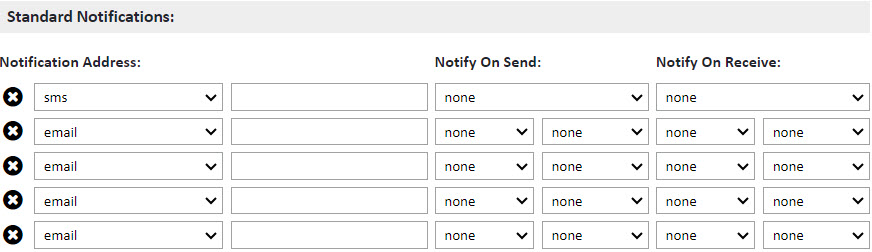
| Field | Description |
| Notification Address Type | Choose "SMS" or "Email". If you choose SMS, you cannot receive an attachment with the fax |
| Notification Address Field | The SMS Number/Email address for the Address Type |
| Notify on Send Type | Either None, All, Only Successful Faxes, Only Failed Faxes |
| Notify on Send Attachment | Choose "none" or "pdf" |
| Notify on Receive Type | Either None, All, Only Successful Faxes, Only Failed Faxes |
| Notify on Receive Attachment | Either None, All, Only Successful Faxes, Only Failed Faxes |
When you are done with your selections, click SAVE