Using a FaxBridge
What is a FaxBridge?
A FaxBridge is just that, a bridge. It connects your analog fax machine to the internet, then sends and receives faxes using a secure connection. A FaxBridge saves customers money since they can keep their fax number without paying for the analog phone line.
All FaxBridge communication is with HTTPS, a secure internet protocol which assures your documents are regulation-compliant and reliably delivered.
The FaxBridge comes already provisioned with your fax number so all you have to do is plug it in and start sending faxes.
Installing a FaxBridge
Step 1
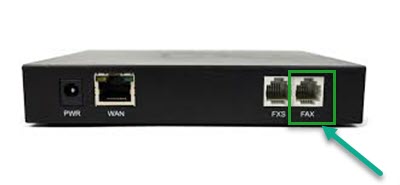
Plug in the included phone cord (RJ-11 cord) into the line port on the back of your fax machine and into the fax port on the FaxBridge
Step 2
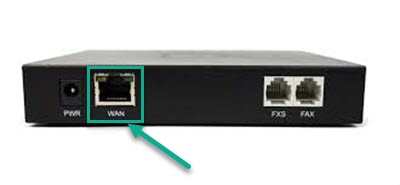
Connect an ethernet cable from your network connection (the wall or router) into the WAN port on the FaxBridge
Step 3
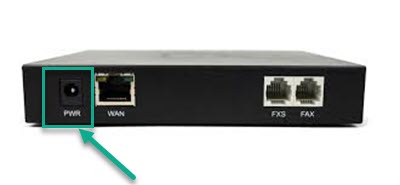
Plug in the power cable into the FaxBridge and connect it to an outlet. Do not use the FXS port on the FaxBridge.
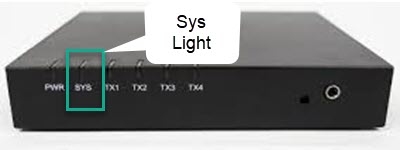
NOTE:: Give the system a few minutes for the FaxBridge to communicate to the FaxAgent server. After the SYS light on the unit comes on, your fax machine has an assigned IP address and can receive and send faxes securely over the internet.
Step 4
Start sending faxes!