Fax Routes
Fax Route Grid
A Fax Route is a DID (Direct Inward Dial) number assigned/routed to a FaxAgent user. All fax routes (except local fax routes for fax gateways) are created here, where you can also manage fax routes at the system level.
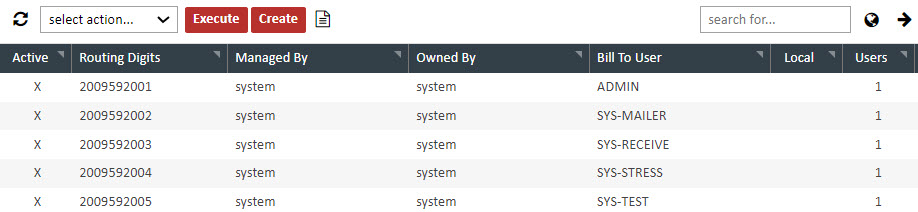
Fax Route Actions Menu
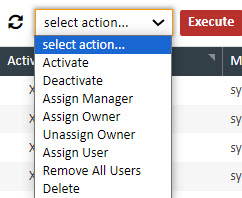
You can perform severa actions for existing fax routes in the actions menu.
| Action | Description |
| Activate | Activates the fax routes for use |
| Deactivate | Deactivates the fax route for user |
| Assign Manager | Assigns the parent tenant to manage this fax route |
| Assign Owner | Assigns the tenant owner (parent tenant or sub-tenant) of the fax route |
| Unassign Owner | Removes ownership of the fax route |
| Assign User | Assign the tenant user(s) will use this fax route to receive/send faxes |
| Remove All Users | Removes all users from a fax route |
| Delete | Deletes the fax route from the grid |
To perform an action on a fax route:
- On the grid, highlight the fax route you want to perform the action on. You may have to use the search feature to find the one you want
- From the actions menu, choose the action you want. (See additional instructions below to find the additional field)
- Click Execute
Using the Search Function in the Actions Menu
For the Assign Manager, Assign Owner, and Assign User options in the actions menu, you will have to search for your option before you click Execute. To perform this search:
- Highlight the Fax Route you want to perform the action on. You may need to use the search function at the upper right of the screen
- Once you've found and highlighted the Fax Route you want, choose Assign Owner from the actions menu. The following screen will appear. Click FIND. If you already see the name of the tenant manager you're looking for, skip to step 4.

- In the search dialog that appears, enter the name of the tenant and click FIND
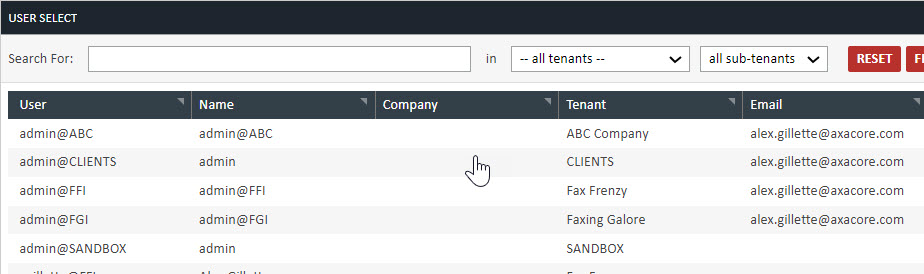
- You will now see that populated in the search window. Click Execute. Your action is complete

Creating New Fax Routes
To create a Fax Route, follow these instructions:
- Click the CREATE button at the top of the screen. The following dialog will appear
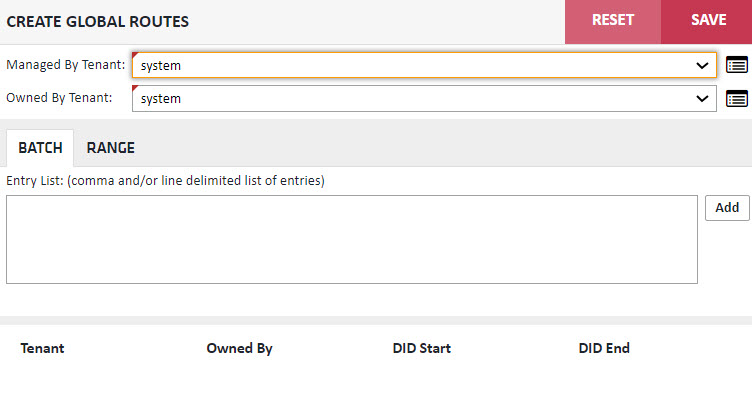
- In the Managed By Tenant field, choose the tenant that will use this Fax Route
- In the Owned By Tenant field, choose the tenant that will use this Fax Route
- You can assign numbers in a batch or a range. If assigning in a batch, paste the list of fax numbers in the box. You can either comma separate the numbers or put one number per line
- Click the Add button to the right of the box
- If you are using a range of numbers, click the Range tab
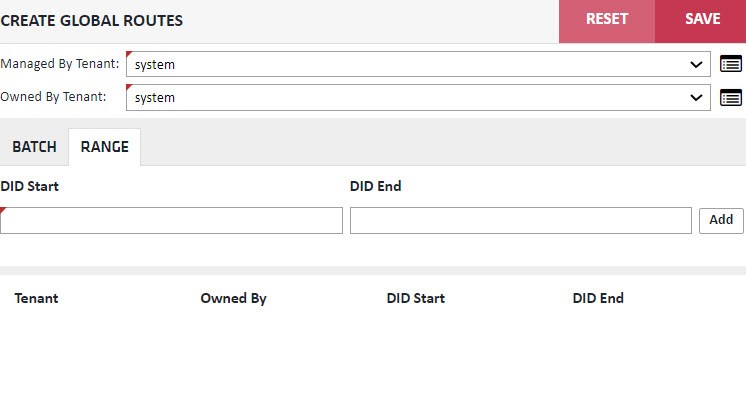
Add the range of numbers in the DID Start and DID End boxes - Click the Add buton to the right of the range boxes
- When you are done adding numbers, click SAVE