Logging Into FaxAgent
To log into FaxAgent, type the url (web address) into the search bar of your browser and click ENTER. The following screen will appear:
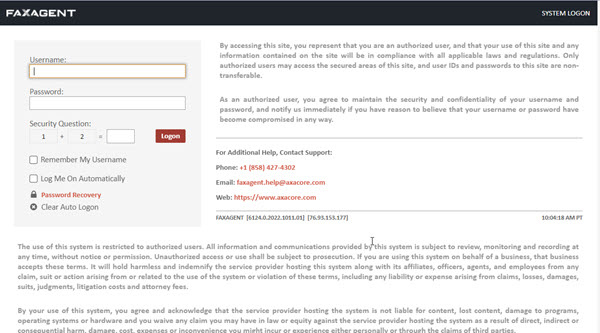
- Enter your Username and Password, answer the security question, the click LOGON
- You can click Remember My Username and FaxAgent will remember your username next time you log in.
- You can also click Log Me On Automatically and FaxAgent will remember your username and password and log you in automatically next time you
- If you forget your password, click Password Recovery and you will be instructed to reset your password
- Click Clear Auto Logon and FaxAgent will clear your auto logon information. The next time you log on, you will be asked for your logon information.