User Move
If enabled, you can move a user from one tenant to another with the User Move feature. This feature is enabled from System Tab>System>Control>UI Control. Set the User Move Enabled option to "yes".
User Move Search

- Under Source Information, choose the tenant of the user you want to move
- Under Source Information, choose the user in the tenant to move
- Under Target Information, choose the tenant you want to move the user
- Click User Move Information. You will receive a validation success/fail message. If you receive a failure message, you will be notified of what failed so you can correct it and try agin. If you receive a "success" message, move to step 5.
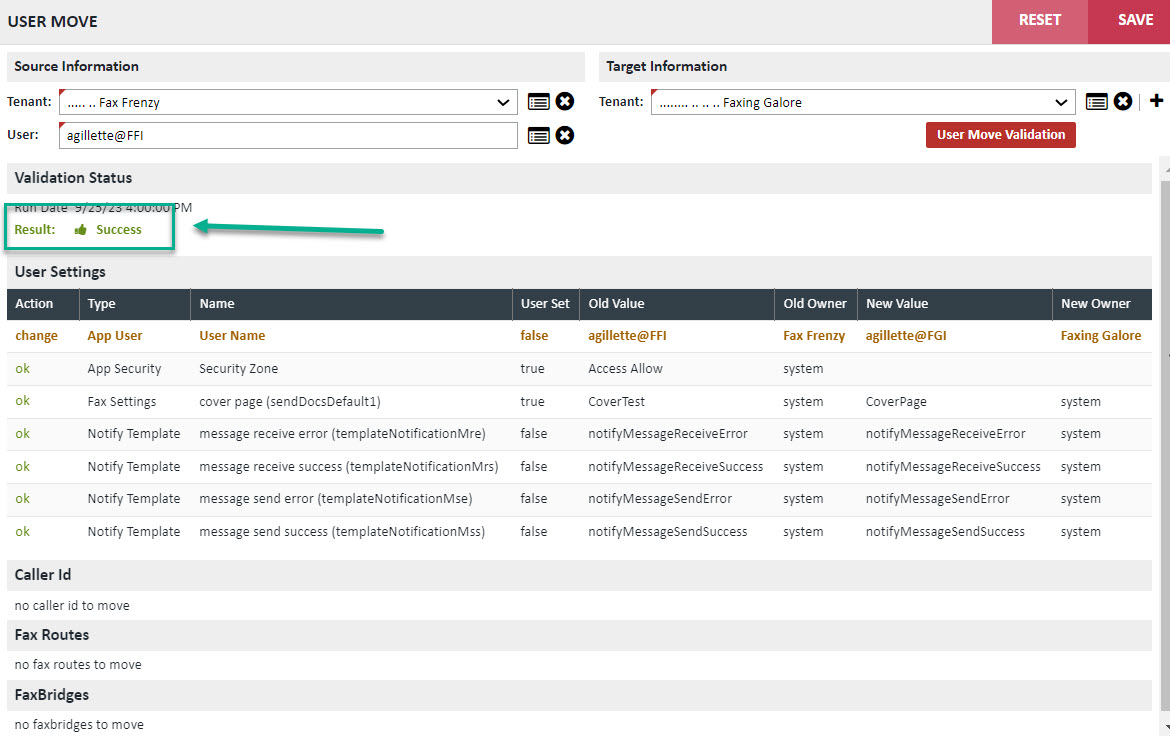
- Click SAVE to complete the move