Fax Filters
Fax Filters uses Fax Types and Fax Folders to classify faxes for easy retrieval at a later date. You assign filters when you send or view faxes. You can then search for faxes by either of these filters.
Creating Filter Types and Folders
The process for creating, editing, and deleting Filter Types and Folders are the same. To create a Filter Type/Folder:
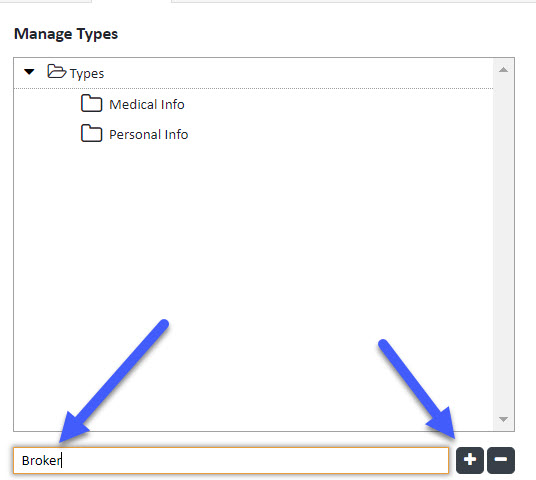
- Add the name of the Filter Type you want to create in the box shown and click the "+" button
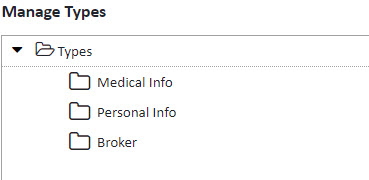
- The Filter Type is created
Editing a Filter Type or Folder
To edit a Filter Type or Folder, just double-click on the name, then you can edit it. Click out of the box and the new name will be saved
Deleting a Filter Type/Folder
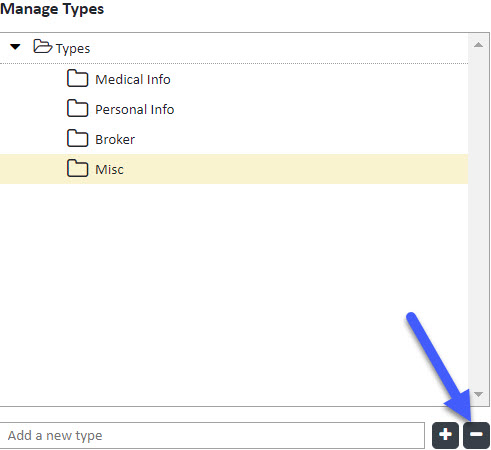
- Click on the Filter Type/Folder in question and click the "-" button of the appropriate box. It will be deleted.