Routing Management
Routing Management Grid
Routing Management is an option available only to System Tenant and Reseller Tenant Administrators and allows Admins to Manage already assigned fax routes. This section allows for higher level management functions of fax routes for their sub-tenants such as ownership assignment, user removal as well as activation and deactivation.
The Routing Management grid has general information about the fax routes to manage. It is the actions menu below where Administrators can perform the necessary management functions.
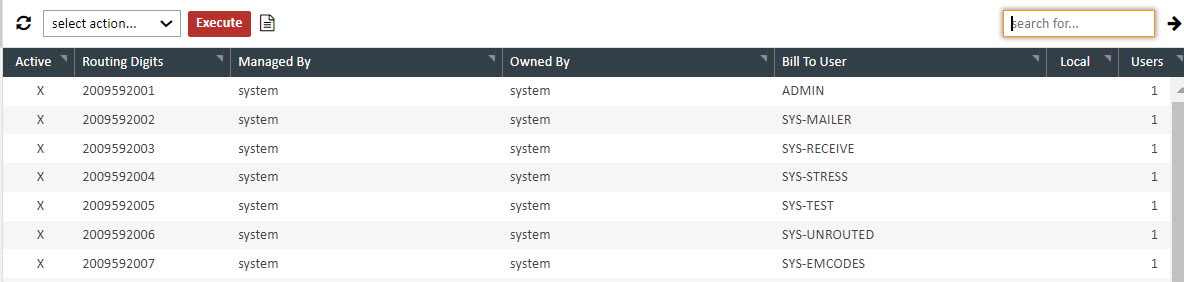
Routing Management Actions
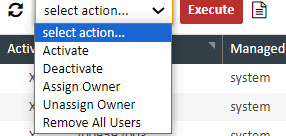
For items in the Routing Management grid, FaxAgent Admins can manage fax routes a number of different ways. The table below describes the management functions for fax route:
| Action | Description |
| Activate | Activates the fax route for use |
| Deactivate | Removes the fax route from use |
| Assign Owner | Assigns the tenant owning the fax route |
| Unassign Owner | Removes the tenant owner from the fax route |
| Remove All Users | Removes all users assigned to the fax route |
To perform an action for a route:
- Highlight the row of the fax route in question. You may have to search for the row with the search function at the upper right of the grid
- From the actions drop down, choose the action you want to perform (you may have to search for the tenant. See below for those search instructions)
- Click Execute
Using the Search Function in the Actions Menu
For the Assign Owner option in the actions menu, you will have to search your option before you click Execute. To perform this search:
- Highlight the Routing Assignment you want to perform the action on. You may need to use the search function at the upper right of the screen
- Once you've found and highlighted the Fax Route you want, choose Assign Owner from the actions menu. The following screen will appear. Click FIND. If you already see the name of the user you're looking for, skip to step 4.


- In the search dialog that appears, enter the name of the tenant and click FIND
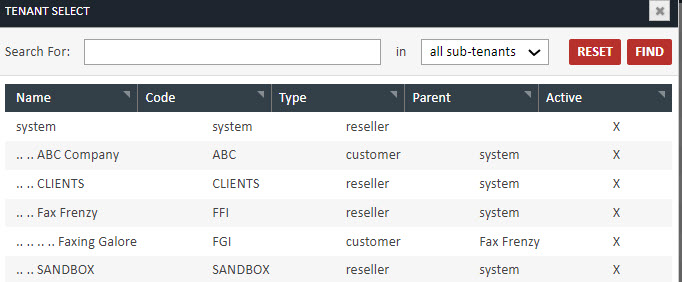

- In the search results, double-click the row of the tenant you want. The name will appear in the field next to Assign Owner


- Click Execute. Your action is complete
