Email Gateways
Email Gateway Grid
An email gateway enables email traffic for FaxAgent including Email to Fax capabilities. For self-hosted customers, email server you are connecting to must have an MX record established.

Email Gateway Actions
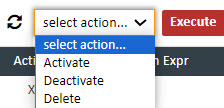
For every email gateway, you can either activate, deactivate, or delete it.
To perform any action for an email gateway:
- Highlight the gateway on the row of the grid
- From the actions menu, choose the action you want to perform
- Click Execute
Creating an Email Gateway
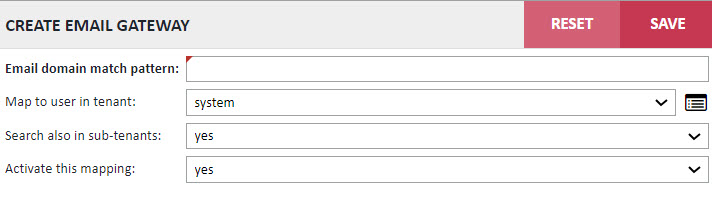
- Click the Create button at the upper left of the grid. The dialog above will appear.
- Fill in the following fields
Field Description Email domain match pattern Tge match pattern for your email server (e.g. *.mail.testcompany.com*) Map to user in tenant Choose the tenant for this mapping Search also in sub-tenants Yes/No - also use this mapping for sub-tenants? Activate this mapping Yes/No - put the email gateway in use - Click SAVE