Viewing A Fax
There are three different ways to view a fax in FaxAgent:
- From the View option on the left side menu
- From the Search Menu (from either the top or left menus)
- From the FaxAgent dashboard by double clicking any of the items in Recent Faxes Sent and Recent Faxes Received
The Fax Viewer
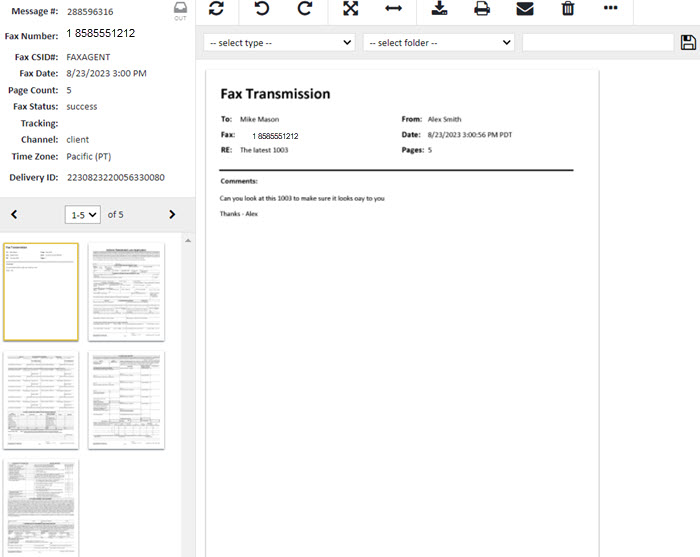
The Fax Viewer contains four sections
- Message Info - General info about the fax. Located on the upper left side.
- Thumbnail Viewer - The ability to see thumbnails of the coverpage and any attachments. Click on the thumbnail of the page you want to see.
- Menu Bar - Performs various actions on the page or fax
- Page Viewer- A larger view of the page you're looking at
The Menu Bar
The icons on the menu bar perform the following actions
| Icon | Action |
 |
Reloads the page |
 |
Rotates the page 90 degrees left |
 |
Rotates the page 90 degrees right |
 |
Fits the entire page in the page viewer |
 |
Fits the witdth of the page in the page viewer |
 |
Downloads the fax |
 |
Prints the fax |
 |
Forwards the fax |
 |
Deletes the fax |
 |
More info. Provides more info about the fax, including additional info, fax reference codes, and additional privacy settings |
More Info Screens
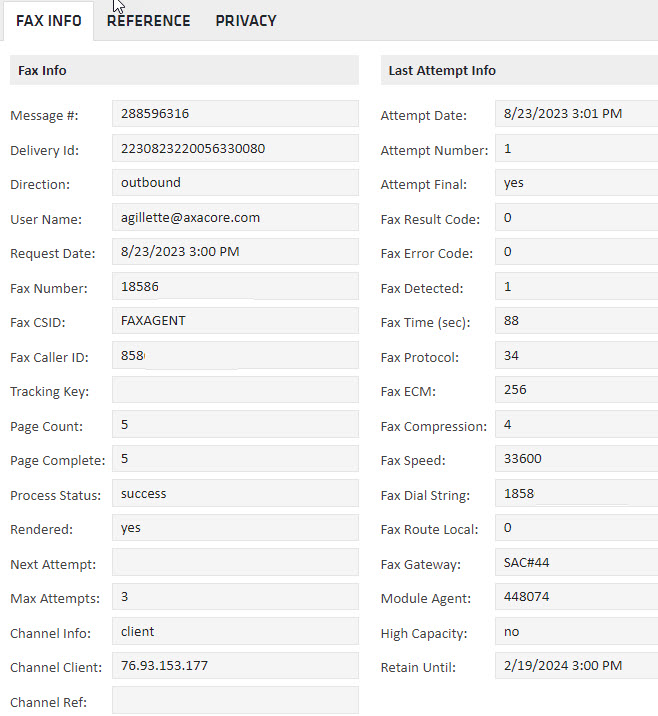
Fax Info - Shows more detailed information about the fax
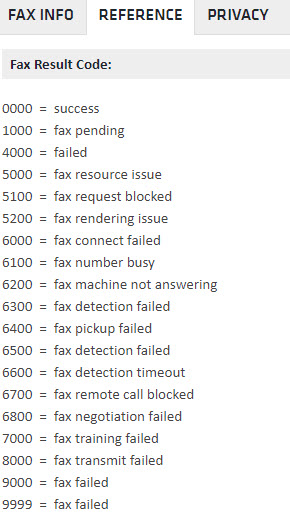
Reference - Shows success and failure codes helpful for troubleshooting
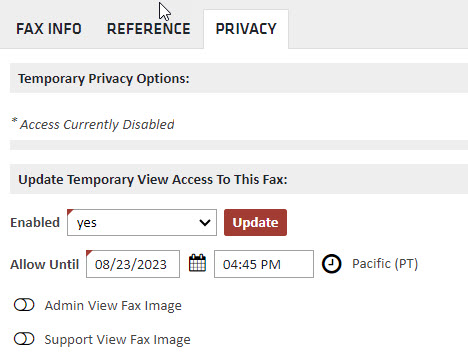
Privacy - Allows you to give more temportary view rights to the fax