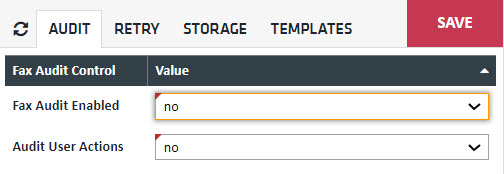
Admin
Tenant Administration Overview
There are two important concepts you must understand to properly administer a tenant. Please review both sections carefully before proceeding.
- Searching for a Tenant
- Why the Admin Interface May Look Different for Different Tenants
Before making any changes in the Admin section, it is critical to verify that you are connected to the correct tenant.
Searching for a Tenant
- To search for a tenant, use one of the following methods:
- Select a tenant directly from the Tenant dropdown list
- Click the Tenant Search button located to the right of the dropdown
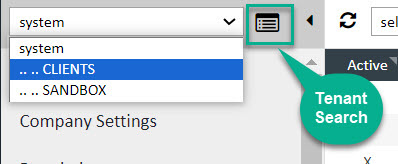
-
If you click the Tenant Search button, a search dialog will appear.
- Enter your search criteria
- Click FIND
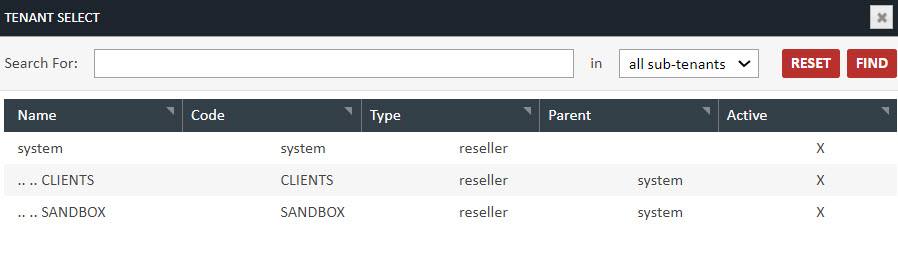
-
Double‑click the desired tenant from the results list.Once selected, the settings for that tenant will load and be available for viewing and administration.
The Admin Section Will Look Different for Different Tenants
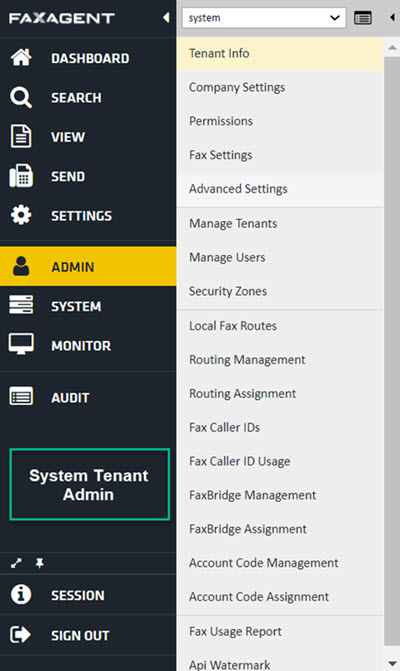
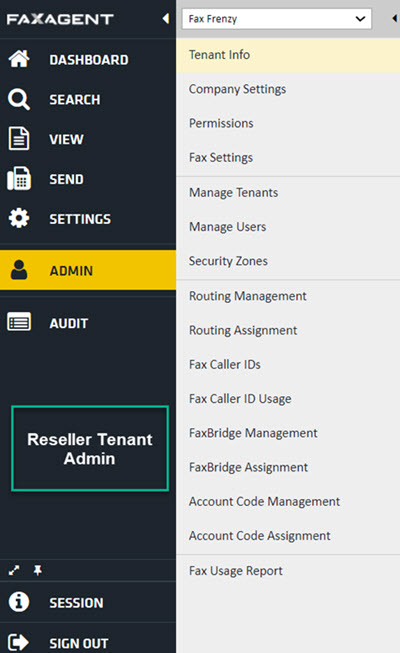
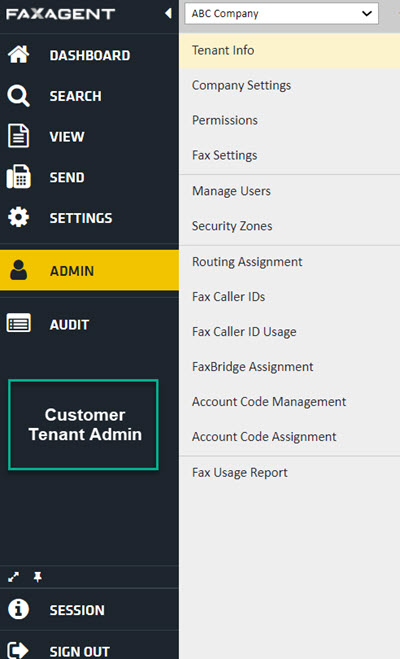
Because different tenant types have different functionality enabled, the Admin section may appear differently depending on the tenant you are administering.
These differences are expected and are based on the features, permissions, and services configured for each tenant.
Below is an overview of how the Admin section appears for each tenant type.
|
System Tenant Admin
|
Reseller Tenant Admin
|
Customer Tenant Admin
|
 |
 |
 |
Admin Screens Also Look Different
Many Admin screens will appear differently depending on whether you are working with a parent tenant or a sub‑tenant.
A system (parent) tenant is configured with a set of available values. These values serve as the default settings for its immediate sub‑tenants.
For any configurable field:
- The parent tenant’s value is applied as the default for sub‑tenants
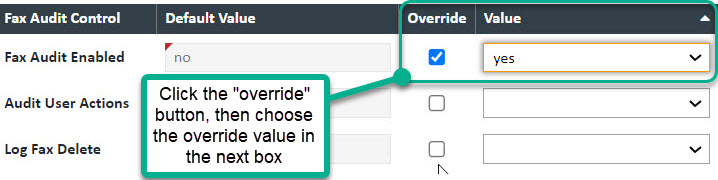
- A parent tenant can override a default by selecting the Override checkbox and entering an override value in the field to the right
Sub‑tenants will inherit values based on the following logic:
- If no override is set at the parent tenant, the parent tenant’s default value is applied
- If an override is set at the parent tenant, the parent tenant’s override value is applied
This inheritance model ensures consistent configuration across tenants while still allowing flexibility where overrides are permitted.
|
System Tenant Tables (Values function as default values for immediate sub-tenants) |
Reseller and Customer Tenant Tables (Tenant Admin can override settings from Parent Tenant) |
|
|
 |