The FaxAgent Dashboard
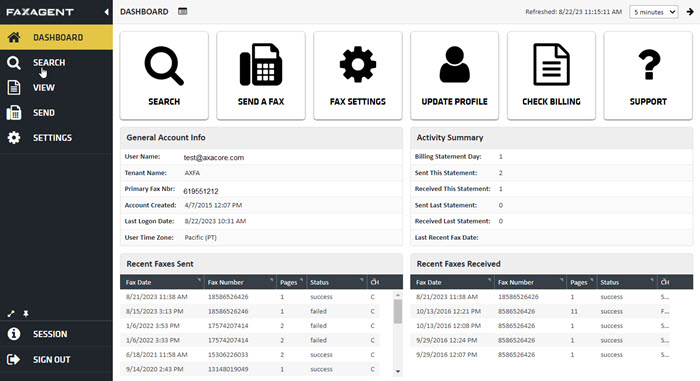
When you log in, the FaxAgent Dashboard appears. The top row of icons are shortcuts to the main features of FaxAgent, such as sending a fax, viewing faxes, fax settings, as well as checking your billing. Other screens show your general account information, an activity summary, as well as your recent faxes sent and received (with status).
Menu Items
The side and top menus are virtually identical and you can use either one you wish. The menu items are:
SEARCH - Allows you to search for a specific fax using various search criteria
SEND A FAX - Provides step by step instructions on sending a fax, inclusing cover pages and attachments
FAX SETTINGS - Opens the Fax Settings to view various operational settings (Profile, Folders, Password, Notifications, Permissions, Billing)
UPDATE PROFILE - Opens the Fax Settings page to the Profile Tab
CHECK BILLING - Check billing, usage summary, and usage limits for your account
SUPPORT - How to get support for FaxAgent
General Account Info/Activity Summary
These two sections are read-only and contain general information about your account and your account's activity
Recent Faxes Sent/Received
These sections contain your recent sent and received faxes. You can double click on any of the items to view the fax in question.
Dashboard Toggle
Above the SEARCH button is a togggle button for the Dashboard 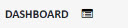
When you click the toggle button, the buttons appear much smaller, allowing you to see more info on the rest of the screen (e.g. sent and received faxes)
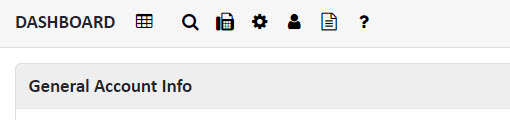
Click the toggle button again to return it to the large icons
Screen Refresh
You can set the screen to refresh periodically in order to see new incoming faxes that appear on the dashboard

From the dropdown above, you can set the screen to refresh every 5,10, or 15 minutes, or not refresh at all. Click the arrow button to the right of the dropdown to maually refresh the screen.
Side Menu
The side items generally mimic the top icons, except for the two at the bottom
SESSION - Shows you information about your session. This is for informational purposed only
SIGN OUT - Signs you out of the application
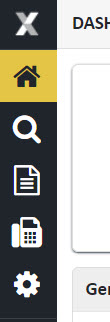
Dock Buton - At the top of the left side menu there is a dock button which will doc the left side menu and show icons in place of the menu items
This is where the DOCK button is: 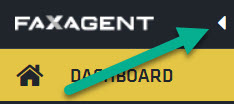
And this is the menu docked: