Branding
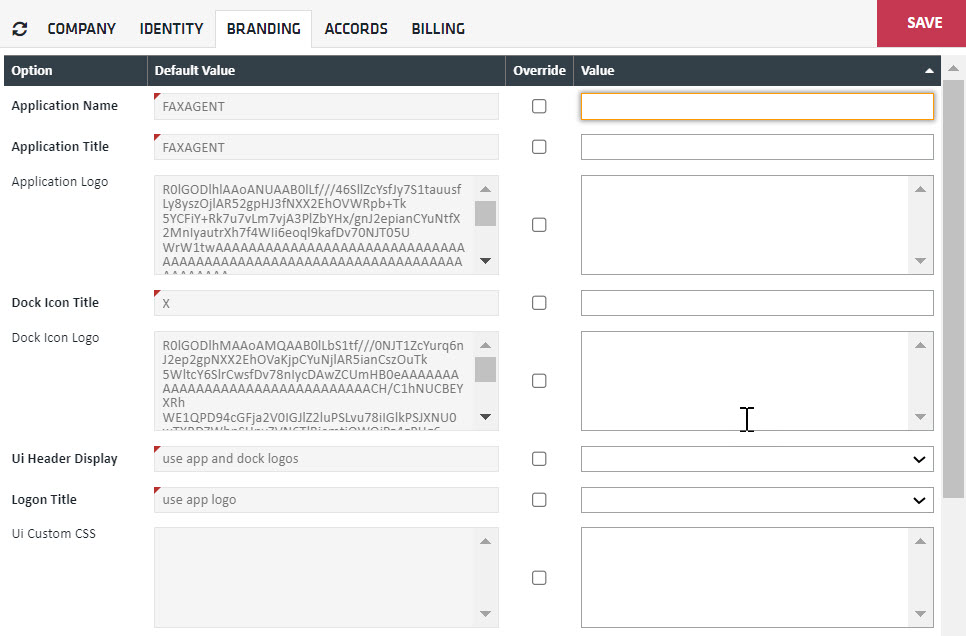
The Branding screen lets you brand FaxAgent to your specifications. You can change the Application title and logo, the Dock Icon title and logo, as well as the UI header display. All logos must be base-64 encoded before being used for FaxAgent. Make your changes then click SAVE.
|
Field |
Value |
| Aplication Name | The name for your branded FaxAgent |
| Application Title | The title for your branded FaxAgent. The title can be used in place of the logo if needed. |
| Application Logo | The logo for the appliacation you see on the logon screen, and in the UI at the top of the side menu |
| Dock Icon Title | The title for the dock icon. (in text) |
| Dock Icon Logo | The dock icon logo is used you see when the side menu is docked, and on the browser tab title |
| UI Header Display | The title for your browser tab. You can use "app and dock logos" or "app and dock titles" |
| Logon Title | On the logon screen, the title for your product. You can use "app logo" or "app title" |
| UI Custom CSS | Any custom css you may want to use. See Professional Servoces for more information. |
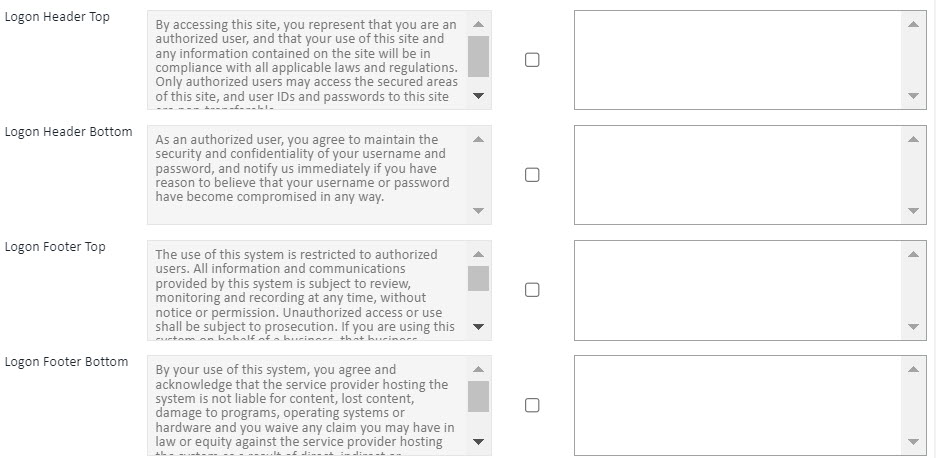
The next part details the text you can display at the logon screen, sectioned into four parts. If you want to change it, just check the "override" box, then ennter the new information in the box to the right and Click SAVE.