Audit
The Audit tab settings control audit functionality for various features within FaxAgent.
By default, audit settings are inherited from the parent tenant. To customize audit behavior for a specific tenant or feature:
- Select the Override checkbox for the feature you want to modify
- Choose the appropriate option in the Value field to the right
- Click SAVE to apply the changes
Any overridden values determine how audit activity is recorded and tracked for the selected features.
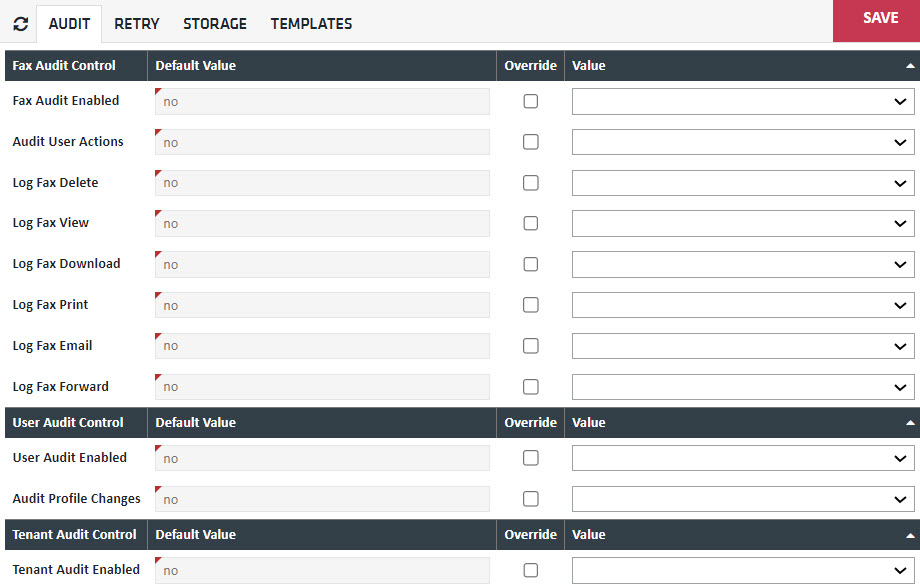
| Field | Value |
| Fax Audit Control | |
| Fax Audit Enabled | Yes/No - General auditing of faxes |
| Audit User Actions | Yes/No - Audit user action for faxes |
| Log Fax Delete | Yes/No - Log when a user deletes a fax |
| Log Fax View | Yes/No - Log when a user views a fax |
| Log Fax Download | Yes/No - Log when a user downloads a fax |
| Log Fax Print | Yes/No - Log when a user prints a fax |
| Log Fax Email | Yes/No - Log fax forward by email |
| Log Fax Forward | Yes/No - Log fax forward by fax |
| User Audit Control | |
| User Audit Enabled | Yes/No - Audit User actions |
| Audit Profile Changes | Yes/No - Audit User Profile changes |
| Tenant Audit Control | |
| Tenant Audit Enabled | Yes/No - Audit sub-tenant |