Storage
The storage settings determine the file storage location for various types of faxes. NOTE: Do not change the settings for any of these stores without consulting your parent tenant admin. To change any file store setting, check the "override" chekbox, then enter the correct setting in the box to the right.
Each tenant should have their own file stores defined for ease of auditing, exporting/importing, and support. These stores are created in System Tab>File Stores.
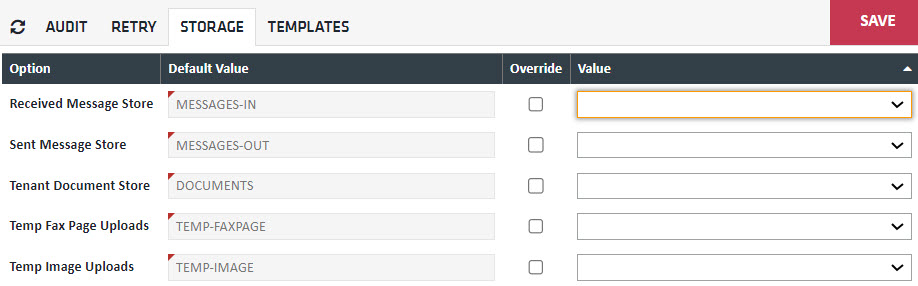
| Option | Description |
| Received Message Store | File Store for received faxes |
| Sent Message Store | File Store for sent faxes |
| Tenant Document Store | File Stores for tenant docs, like cover pages |
| Temp Fax Page Uploads | File Store for temporary files used for faxing |
| Temp Image Uploads | File Store for temporary images used for branding |