File Stores
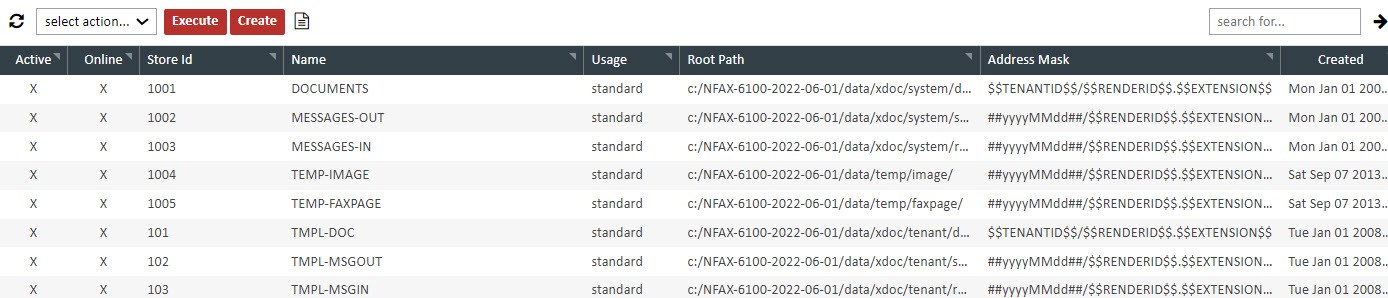
File Stores Grid
File Stores function as the back end file repository for sent and received faxes, messages, documents, etc associated with FaxAgent. File Stores is used ONLY for self-hosted customers. You assign file stores at Admin Tab>Advanced Settings>Storage.
File Store Actions
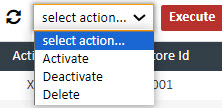
With the actions menu, you can activate, deactivate and delete a file store.
To perform an action for an existing file store:
- Highlight the store in question on the grid
- From the actions menu, choose the action you want
- Click Execute
Creating a New File Store
- Click the Create button on the upper left of the grid, the following dialog will appear
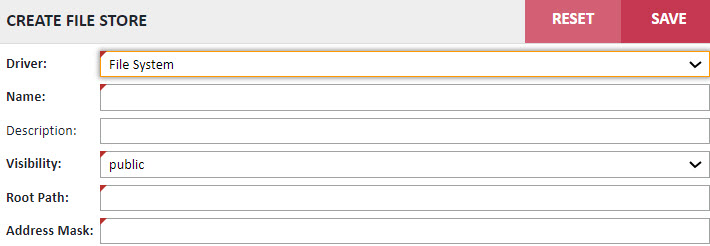
- Fill out the following fields Fields in bold are required
Field Description Driver Always "File System" Name The name for your file store Description Any added description for the file store Visibility Public, Private, or Disabled. This should zlways be "public" for any file store in use Root Path The file path for your file store Address Mask Must always match the address mask for similar type stores so all files are named the same - Click SAVE