Storage
The Storage Settings section determines the file storage locations used for various types of faxes.
⚠️ Important: Do not change any storage settings without first consulting your parent tenant administrator. Incorrect changes can impact auditing, data access, and system functionality.
To modify a file storage setting:
- Select the Override checkbox for the applicable store
- Enter the correct configuration value in the field to the right
- Click SAVE to apply the change
For best practices, each tenant should have its own dedicated file stores. This approach simplifies:
- Auditing
- Exporting and importing data
- Ongoing support and troubleshooting
File stores are created and managed in System > File Stores.
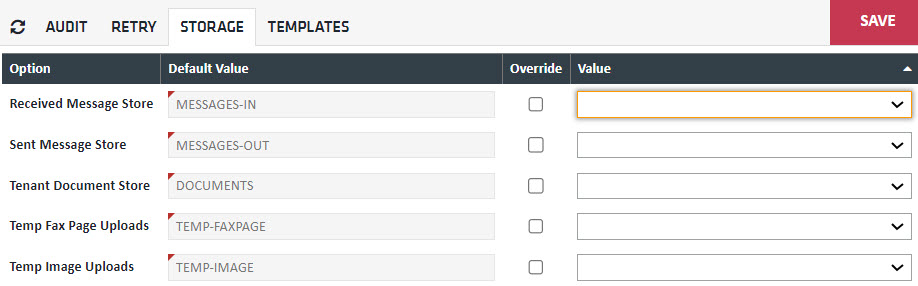
| Option | Description |
| Received Message Store | File Store for received faxes |
| Sent Message Store | File Store for sent faxes |
| Tenant Document Store | File Stores for tenant docs, like cover pages |
| Temp Fax Page Uploads | File Store for temporary files used for faxing |
| Temp Image Uploads | File Store for temporary images used for branding |