Fax Caller IDs
Fax Caller IDs Grid
The Fax Caller IDs section contains a list of all Fax Caller IDs for your tenant and all sub-tenants, Admins can create new caller IDs, as well as assign activation status, ownership and users.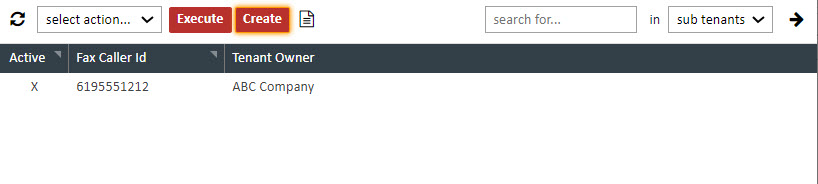
Caller ID Actions
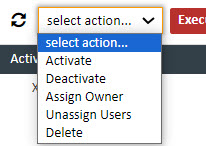
To perform any action for a Fax Caller ID:
- Highlight the row of the Fax Caller ID number you want. You may have to search for the number from the search screen at the upper right of the grid
- From the drop down, choose the action
- Click Execute
* For the Assign Owner option, you will have to search for the owner to assign. Once you find the owner from the search results, just double click that row. Then you can click Execute
Create a New Fax Caller ID
- To create a new Fax Caller ID, click the Create button at the top of the grid.
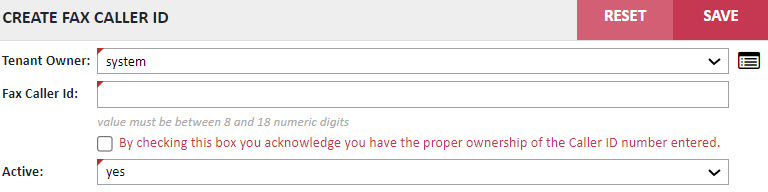
- Fill out the following information about the Fax Caller ID
Field Description Tenant Owner Tenant owning this number Fax Caller ID The Fax Caller ID number Verification Checkbox Check this box, verifying you have ownership of this Caller ID number Active Yes/No - This Fax Caller ID is active - Click SAVE when you're done. The Fax Caller ID will apear in the grid