Fax Gateways
Fax Gateway Grid
A Fax Gateway, used for hosted customers only, requires use of a SIP trunk so you can manage your own fax traffic and fax routes (called local fax routes). If you want to use your own SIP trunk for secure internet fax traffic, Contact FaxAgent Customer Support to set up your fax gateway.
All fax gateways will be listed here for you to manage.

Fax Gateway Actions
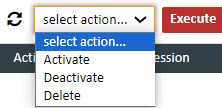
You can either activate, deactivate, or delete a Fax Gateway from the actions menu.
To perform any action:
- Highlight the row in question on the fax gateway grid
- From the actions menu, choose the option you want
- Click Execute
Creating a Fax Gateway
- Click Create from the top left of the grid. The following dialog will appear
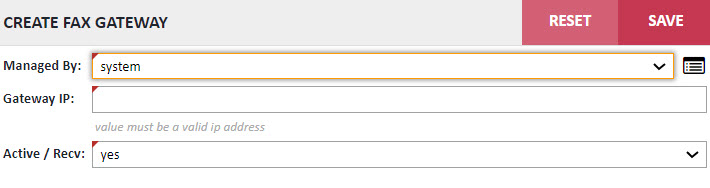
- Fill in the three fields:
- Managed By - The tenant that the gateway belongs to
- Gateway IP - The IP address for the gateway
- Active/Recv - Yes/No - The gateway is active and can receive faxes
- Managed By - The tenant that the gateway belongs to
- When finished, click SAVE